
Overview
Equipment represents all items that can be used by a character to interact with the world or engage in combat.
It is divided into two main categories:
- Tools – Used for professions such as gathering and resource collection
- Weapons – Used in combat to deal damage
Each type of equipment is crafted or obtained through gameplay and comes in different materials that define its quality and effectiveness.
Durability
Equipment have a durability value that decreases as it is used.
- Tools become unusable when their durability reaches zero
- Weapons lose efficiency as their durability decreases
Damaged equipment can be:
- Repaired using an anvil (requires Master Blacksmith rank)
- Dismantled to recover materials
- Repaired by Orik, a master blacksmith who offers repair services for a fee
Higher-tier equipment generally provides better performance but still requires maintenance to remain effective.
Durability Display
- When multiple equipment are attached, each item maintains its own durability.
- Durability values are visible directly in the interface, allowing players to monitor the condition of both equipped items at all times.
Tools
Tools are required to perform various professions such as logging, mining, and fishing.
They can be crafted at a blacksmithing station using gathered resources.
There are four (4) types of tools:
- Wood – Used only for the Fishing Rod
- Copper – Lowest quality
- Iron – Medium quality
- Steel – Highest quality
Each tier improves efficiency and quality allowing better results.
| Equipment | Dismantling | Repairing |
|---|---|---|
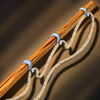 Wooden Fishing Rod Wooden Fishing Rod | Wood (4) | Wood (5) |
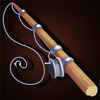 Fishing Rod Fishing Rod | Iron Ingot (2) | Iron Ingot (3) |
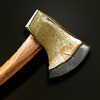 Copper Hatchet Copper Hatchet | Copper Ingot (2) | Copper Ingot (3) |
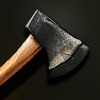 Iron Hatchet Iron Hatchet | Iron Ingot (2) | Iron Ingot (3) |
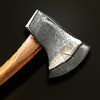 Steel Hatchet Steel Hatchet | Steel Ingot (2) | Steel Ingot (3) |
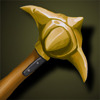 Copper Pickaxe Copper Pickaxe | Copper Ingot (2) | Copper Ingot (3) |
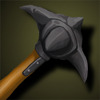 Iron Pickaxe Iron Pickaxe | Iron Ingot (2) | Iron Ingot (3) |
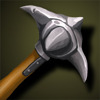 Steel Pickaxe Steel Pickaxe | Steel Ingot (2) | Steel Ingot (3) |
Weapons
- Weapons are used in combat to deal damage to other players and creatures.
- They can be crafted at a blacksmithing station or obtained through other means.
There are three (3) types of weapons:
- Iron – Standard quality
- Silver – Medium quality
- Steel – Highest quality
Higher-tier weapons provide better damage and overall combat effectiveness.
| Equipment | Dismantling | Repairing |
|---|---|---|
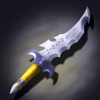 Hunter Dagger Hunter Dagger | / | / |
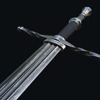 Iron Sword Iron Sword | Iron Ingot (2) | Iron Ingot (3) |
| Silver Sword | Silver Ingot (2) | Silver Ingot (3) |
| Steel Sword | Steel Ingot (2) | Steel Ingot (3) |
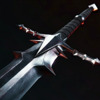 Iron Great Sword Iron Great Sword | Iron Ingot (5) | Iron Ingot (6) |
| Silver Great Sword | Silver Ingot (5) | Silver Ingot (6) |
| Steel Great Sword | Steel Ingot (5) | Steel Ingot (6) |
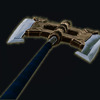 Iron Great Axe Iron Great Axe | Iron Ingot (5) | Iron Ingot (6) |
| Silver Great Axe | Silver Ingot (5) | Silver Ingot (6) |
| Steel Great Axe | Steel Ingot (5) | Steel Ingot (6) |
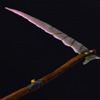 Iron Scythe Iron Scythe | Iron Ingot (6) | Iron Ingot (8) |
| Silver Scythe | Silver Ingot (6) | Silver Ingot (8) |
| Steel Scythe | Steel Ingot (6) | Steel Ingot (8) |
Base Damage Roll
- When crafting a weapon, it will have a base damage attribute that falls within a range determined by the material and the tier of the item making each crafted weapon unique.
Equipment Usage
- All equipment get attached to the avatar right-hand.
- A character can equip up to two (2) items, but only one per equipment category.
- For example, a sword and a hatchet can be equipped together, but two swords cannot.
- The currently active equipment can be changed at any time using the equipment selector.
- Only one equipment is active at a time, and all actions (combat or profession-related) are performed using the selected equipment.

Inspect equipment
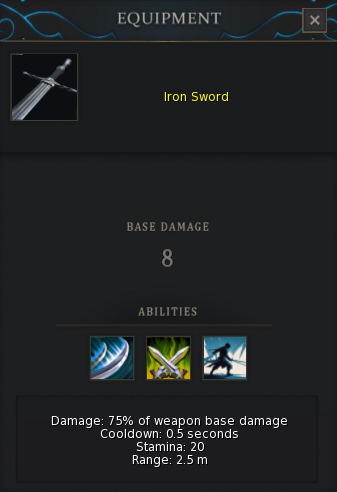
- You can inspect an attached equipment with the inspect button.
- It allows you to know a bit more about damage each ability does.
Detaching Equipment
- Equipment can be detached directly from the selector interface.
- Holding the button during 1 second will remove the currently selected equipment.
- It is also possible to detach an equipment directly from SL inventory Right-click > Detach.
Equipment Versioning
Each equipment item has an internal version that determines its compatibility with the current system.
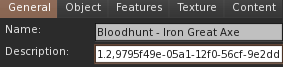
The version can be identified through the item’s object description:
- The first number represents the equipment version
- Items without a description belong to early versions
Older versions may not function correctly with newer HUD systems.
Dismantling
- In order to dismantle an item, you have to rez it on the ground then click on it.
- You will receive the break down resources to your inventory and the item will disappear.