
Bug Fixes
- Fixed an issue where dodge invincibility frames (i-frames) were not functioning properly after the previous patch.
- Fixed an issue where using items from pockets would sometimes do nothing when clicked.
- Fixed an issue with territory info fetching when entering a region that used to take up to 30s or sometimes return nothing at all.
Quality of life
- Added a resize slider to the HUD interactive menu window above the B button, allowing players to adjust visibility for a more comfortable viewing experience.
Anti-Cheat Improvements
- Improved movement exploit detection.
- The Slow Down status effect is still applied on initial speed abuse.
- Continued abuse triggers Cheater’s Wrath, which now drains 3 HP per second for 30 seconds.
Territories system
- Increased territory base capture speed rate from 1.5% to 2% per 30 seconds.
Equipment
- Upgraded all equipment to v1.2.
- Added the ability to attach two (2) equipment at the same time, making it convenient to switch between weapons mid battle.
- This reduces HTTP calls to the game server at each attach improving performance and overall experience around equipment.
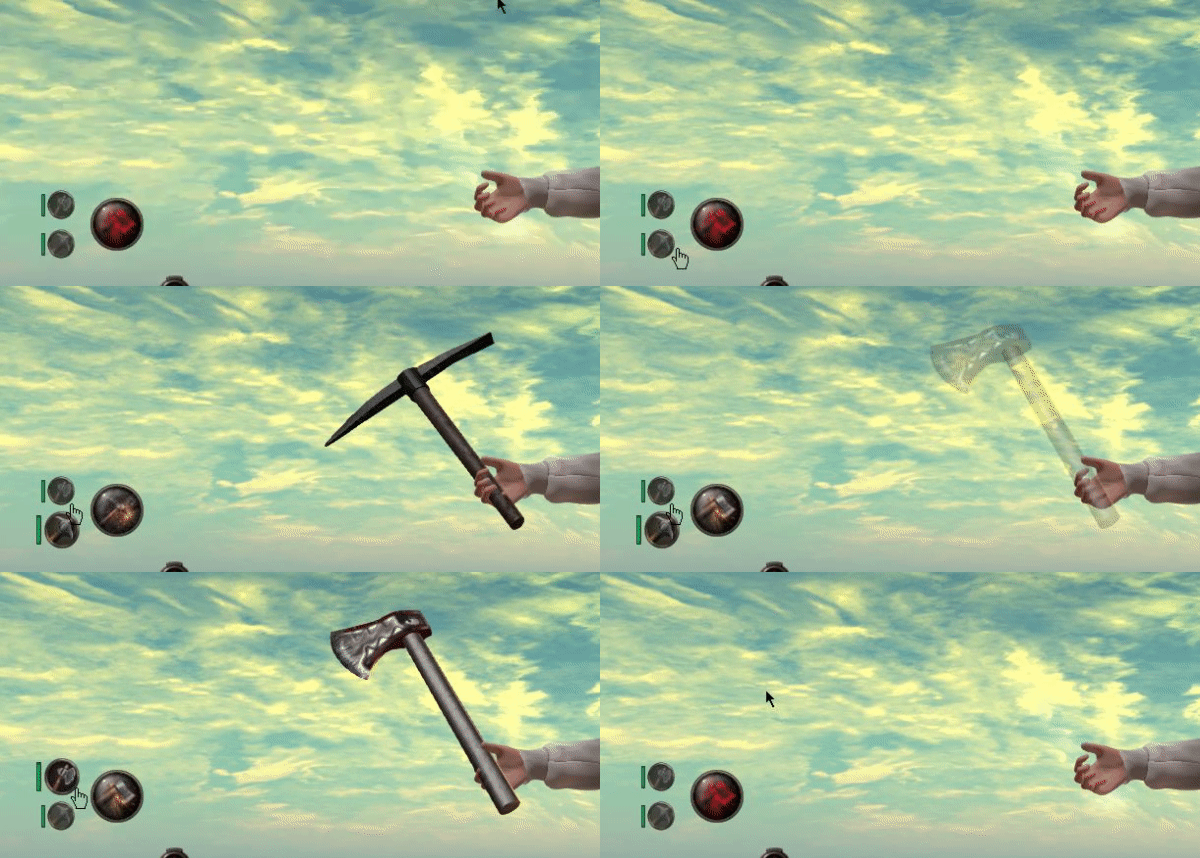
How does it work
- Click the item selector to switch between your two attached equipment.
- Durability for each equipment is displayed on the left side.
- Hold-click the button to detach the currently selected equipment.
What's new in equipment v1.2
- Fixed an issue where equipment remained invisible after being rezzed on the ground for dismantling.
- Prior to v1.2, you had to enable X-Ray Vision (Ctrl + Alt + T) to see it.
- New equipment v1.2 are not compatible with old HUD v0.8.84.
- Old equipment prior to v1.2 are not compatible with new HUD version.
How do i check an equipment version
- Check the object description.
- The first number indicates the version.
- If the description is empty, it is an early/entry version.
Prepare for new HUD (Beta)
- You can update your old equipment now and be ready before the official HUD release by joining the beta test.
How do i update my old equipment
- Attach the new HUD (Beta).
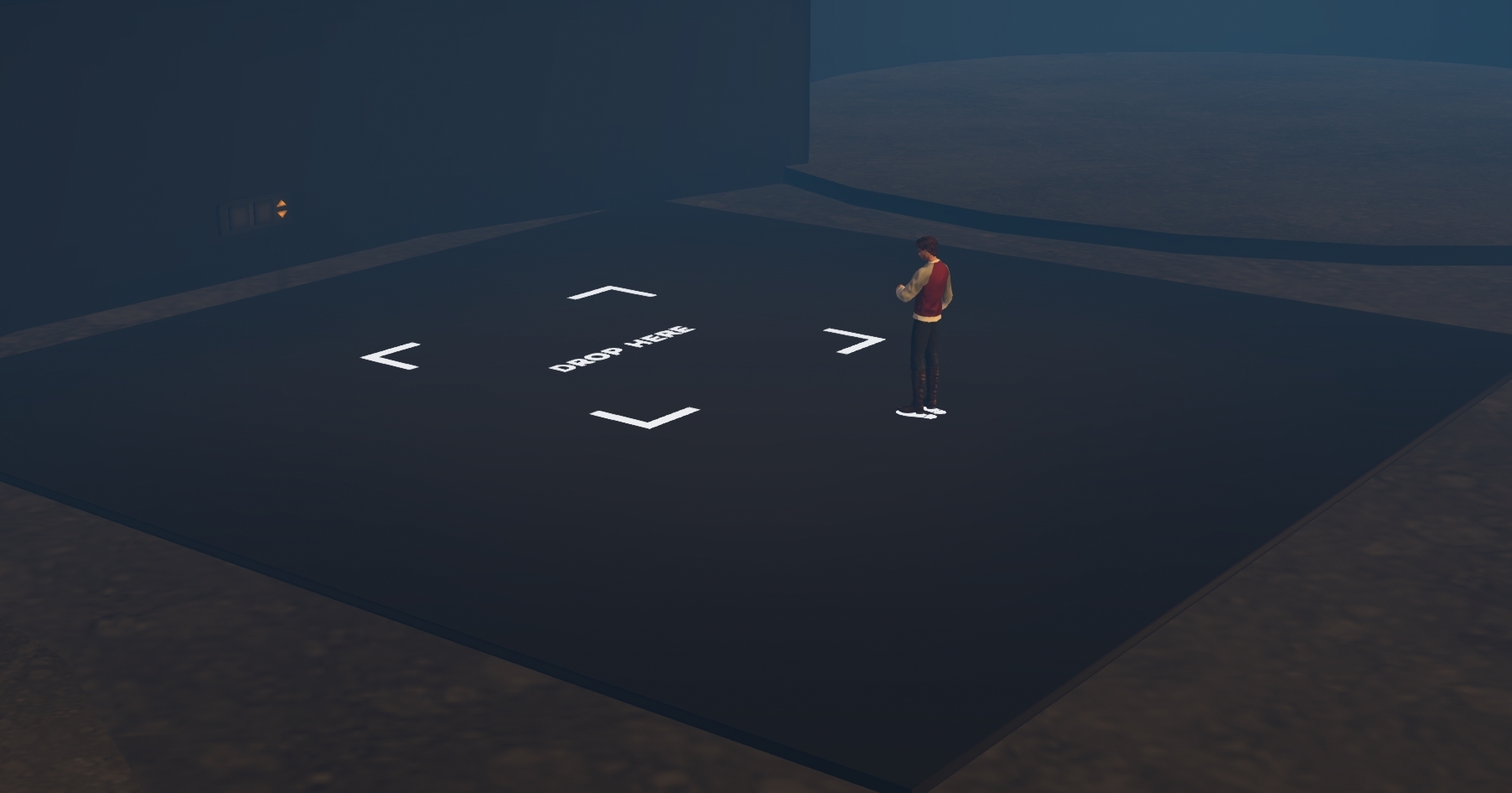
- Teleport to the update platform here: secondlife://Bloodhunt/111/129/2799
- Stand on the designated avatar area.
- Attach Bloodhunt group tag in order to rez items.
- Rez your old equipment on the drop area.
- Ensure its durability is 100%, repair it if needed.
- Click the equipment to dismantle it as usual.
- The latest version will be delivered to you automatically.
Note:
- If nothing happens when you click the equipment on the ground its most-likely new, attach it at least once using the appropriate HUD version to register it in the system.
- Equipment with durability ZERO will be dismantled as usual and raw material returned.
- Hunters: To update the Hunter Dagger, simply redeliver it while wearing the new HUD.
Orik apprentice tools
- When borrowing apprentice tools from Orik, you will now receive the latest version automatically.
How do i join the beta test
- Join the game discord server.
- Link your Discord account to your game account via your web dashboard.
- From your web dashboard, select Join Beta in the Discord contextual menu.
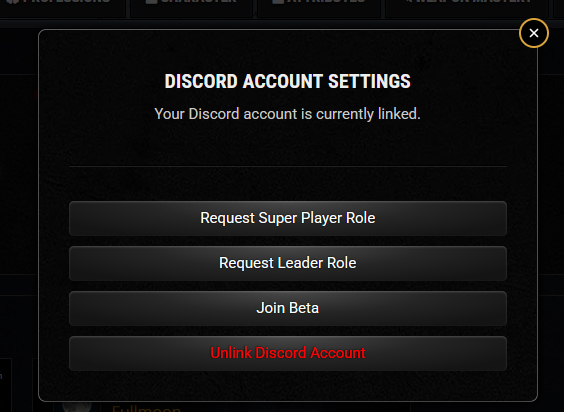
This grants you:
- Access to the Discord beta chat channel.
- The ability to submit feedback.
- Automatic in-world delivery of the Beta HUD.
How do i receive the Beta HUD again
- Repeat the beta join step from your web dashboard.
Important Note
- The Beta HUD runs in a test environment. Minor bugs may occur.
- Use this phase to report issues quickly in the Discord beta channel.
- Attaching the regular game HUD will automatically make you quit the beta test.